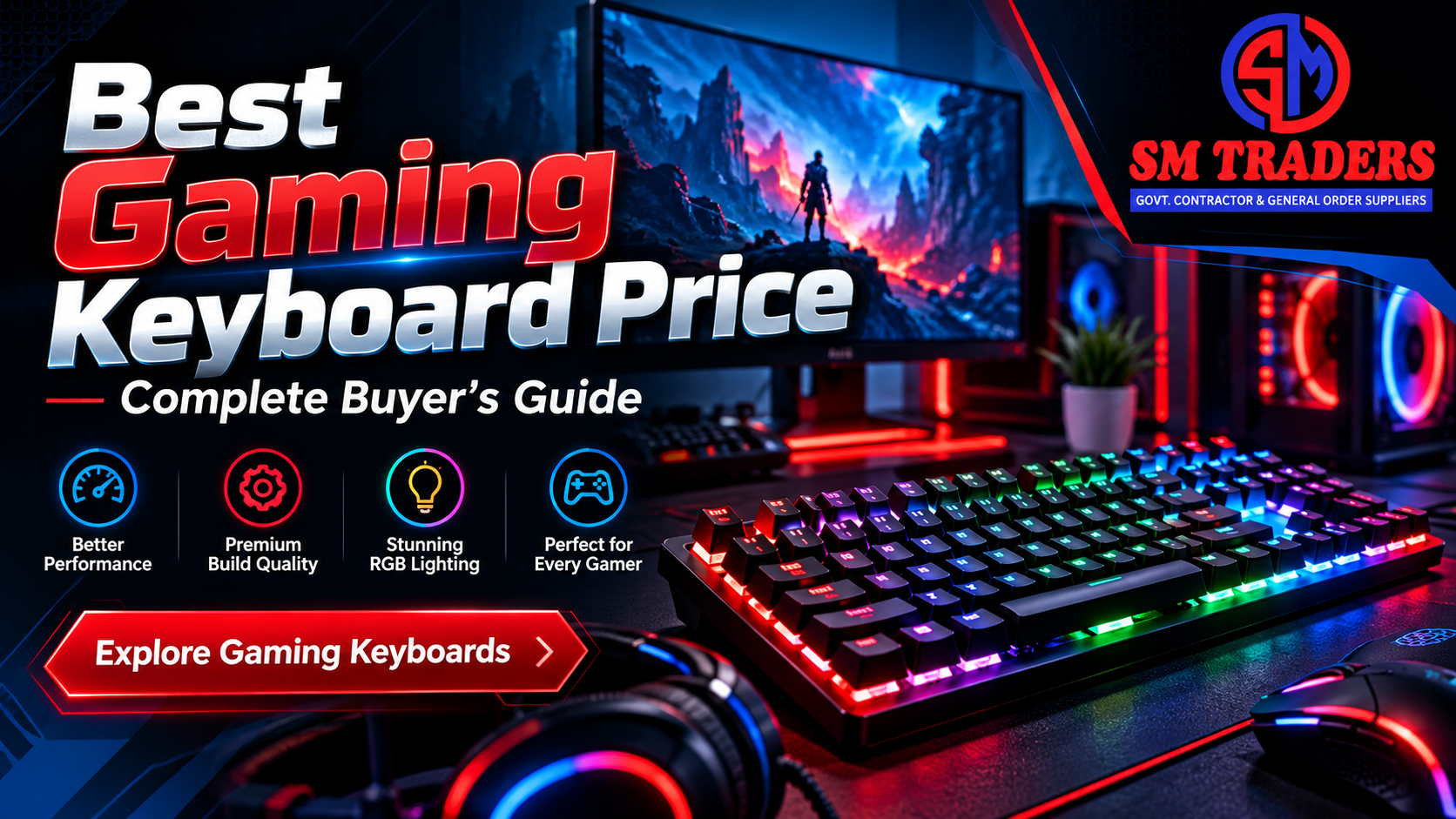
You open three tabs and the same type of keyboard shows up at three very different prices. One shop lists a gaming keyboard at Rs 6,850. Another asks Rs 15,500 for something that looks almost the same. So what is the Best gaming keyboard price, and how do you know you are not overpaying?
The honest answer is that there is no single number. The best price is the one where the features you will actually use meet a cost you are comfortable with. Below that, you are missing things that matter. Above it, you are paying for extras that never change your game.
This guide breaks down what drives the price of a gaming keyboard, what each budget level gets you, and where the real value sits. We also use live prices from the keyboard section at SM Traders, so the numbers are real rather than guesses.
Table of Contents
- What Decides the Best Gaming Keyboard Price
- Gaming Keyboard Price Ranges in Pakistan
- Mechanical vs Membrane: Where Your Money Goes Further
- Real Prices Currently Listed at SM Traders
- Features Worth Paying For (and Ones to Skip)
- Matching a Gaming Keyboard to Your Playstyle
- Common Buying Mistakes That Cost You Money
- How to Make Your Keyboard Last Longer
- Frequently Asked Questions
- Conclusion
What Decides the Best Gaming Keyboard Price
Two keyboards can look identical in a photo and still sit thousands of rupees apart. The difference is almost always hiding inside or underneath. Here is where the money goes.
Switch Type
This is the biggest price driver. A membrane keyboard uses a rubber dome under each key. It is quiet, cheap to make, and fine for many players. A mechanical keyboard gives each key its own physical switch, which feels sharper, registers presses more cleanly, and usually lasts far longer.
That extra engineering is why mechanical models cost noticeably more. It is also why they tend to hold their value if you look after them.
Build Quality
Cheap keyboards flex when you press hard. Better ones use a rigid frame, thicker keycaps, and a heavier body that stays put on your desk during a tense match.
You cannot judge this from a product photo, but you can from the weight and the material listed on the product page. A keyboard that feels light and creaky at a low price is usually cutting corners in the frame.
Backlighting
Backlighting is cheap to add at a basic level and expensive at a premium level. Single-color or simple rainbow lighting adds very little to the price. Per-key RGB with software control adds quite a lot.
If you play in a dark room, some lighting is genuinely useful. If you play in daylight, paying extra for a light show is mostly a cosmetic choice.
Extra Features
Media keys, a wrist rest, dedicated macro keys, and onboard memory all push the price up. Some of these are worth it. Many are not. We cover which ones later in this guide.
Brand and Warranty
A known brand usually costs more, and usually for a reason: better quality control, replacement parts, and a warranty you can actually claim. An unbranded keyboard at a very low price can be fine for a month and frustrating by the third.
Before you buy, check whether the seller offers a local warranty. It can be worth more than any feature on the box.
Gaming Keyboard Price Ranges in Pakistan
Prices move with the exchange rate and stock, so treat these as rough shopping tiers rather than fixed rules. They reflect what the market generally offers at each level.
| Budget Tier |
Typical Price Range |
What You Usually Get |
Best For |
| Entry |
Under Rs 5,000 |
Basic membrane, simple backlight, plastic frame |
First-time buyers, casual play |
| Mid-range |
Rs 5,000 to Rs 10,000 |
Better membrane or entry mechanical, RGB lighting, sturdier build |
Regular gamers, students |
| Upper mid |
Rs 10,000 to Rs 20,000 |
Mechanical switches, metal or reinforced frame, stronger warranty |
Competitive players |
| Premium |
Rs 20,000 and above |
Hot-swappable switches, wireless, software control, premium materials |
Enthusiasts, streamers |
The Entry Tier: Cheap Does Not Mean Bad
At the lower end, you are mostly paying for a keyboard that works and looks the part. That is perfectly acceptable if you play a few hours a week.
The catch is durability. Keys can feel mushy, and lighting effects may be limited. Just do not expect it to feel like a mechanical board.
The Mid-Range Tier: Where Most People Should Look
This is the sweet spot for most buyers. You get a real step up in build and feel without the sharp jump in cost that comes with premium models.
For a lot of players, the best gaming keyboard price lives here. You are past the flimsy stage but not yet paying for features you may never touch.
The Upper-Mid and Premium Tiers
Once you cross roughly Rs 10,000, you are usually buying mechanical switches and a more solid body. Beyond Rs 20,000, the gains get smaller. You pay for wireless connectivity, software tuning, and finishing touches.
Those are lovely to have. They rarely make you win more matches.
Mechanical vs Membrane: Where Your Money Goes Further
This is the question we hear most, so let us answer it plainly.
Membrane keyboards win on price and noise. If you share a room, play late at night, or simply want to spend less, they make sense. Modern gaming membrane boards are much better than the mushy ones from ten years ago.
Mechanical keyboards win on feel, response, and lifespan. Each press is crisp and consistent. Many can also have keys replaced individually, which extends their life.
Here is a simple way to think about it:
- Choose membrane if your budget is tight, you play casually, or noise is a concern.
- Choose mechanical if you play often, care about feel, and want something that lasts for years.
A quick example helps. Imagine two students. One buys a Rs 3,000 keyboard and replaces it after a year and a half. The other spends Rs 7,000 to Rs 9,000 on a sturdier board and uses it for four years. Over time, the second student has paid less per year and typed on a better keyboard the whole time.
That is why the lowest sticker price is not always the best gaming keyboard price.
Real Prices Currently Listed at SM Traders
Theory only goes so far, so here is what shoppers actually see. At the time of writing, the keyboard collection at SM Traders lists these options, all in Pakistani rupees:
| Keyboard |
Type |
Listed Price |
| COUGAR VANTAR Gaming Keyboard |
Gaming |
Rs 6,850 |
| COUGAR VANTAR MX Mechanical Gaming Keyboard |
Mechanical gaming |
Rs 15,500 |
| FX50 Scissor Switch Keyboard |
Scissor switch |
Rs 5,850 |
| FX51 Scissor Switch Compact Keyboard |
Scissor switch, compact |
Rs 4,600 |
| A4-Tech KR-85 ComfortKey FN Keyboard |
Wired multimedia |
Rs 1,950 |
Prices can change, so always confirm on the product page before you order.
What These Prices Tell You
Look at the two COUGAR models. The standard VANTAR sits in the mid-range tier at Rs 6,850. The VANTAR MX Mechanical costs Rs 15,500, which puts it in the upper-mid tier.
The gap is more than double, and the model name itself tells you why. One is built around the mechanical switch experience. The other is the more affordable way into gaming gear.
So which is the better deal? It depends on how much you play. If you are in front of your PC for hours every day, the mechanical version earns its price. If you play a few evenings a week, the standard model already covers what you need.
A Useful Detail: Free Shipping
The store advertises free shipping on orders above Rs 5,000. That matters more than it sounds. On a Rs 6,850 keyboard, you skip delivery charges entirely, which quietly lowers your real cost. When you compare prices between sellers, always compare the total, not just the tag.
Features Worth Paying For (and Ones to Skip)
Not every feature deserves your money. Here is an honest ranking.
Worth It
- Anti-ghosting or key rollover. This lets the keyboard register several keys pressed at once. In fast games, it prevents missed inputs.
- A solid, non-flexing frame. You feel this every day, even when you do not think about it.
- A usable warranty. It protects the money you already spent.
- Comfortable key feel. Try to read reviews describing the actual typing experience, not only the spec list.
Nice, But Optional
- Per-key RGB lighting. Pretty, but rarely a performance gain.
- Media keys. Handy if you control music while gaming.
- A detachable wrist rest. Good for long sessions, especially if your desk is high.
Usually Not Worth the Extra Cost
- Dozens of macro keys unless you play games that truly need them.
- Overly complicated software if you never plan to customize anything.
- Premium branding on its own, without matching build quality.
A good rule is to write down the three features you will use every week. Then buy a keyboard that does those three things well, rather than ten things badly.
Matching a Gaming Keyboard to Your Playstyle
Different games ask different things of a keyboard. A quick match can save you from overspending.
Fast-Paced Shooters
Games like Valorant or Counter-Strike reward quick, accurate presses. Here, a responsive mechanical keyboard or a well-built gaming membrane board makes a real difference. Compact layouts are also popular because they leave more room for mouse movement.
MOBAs and Strategy Games
These games use many hotkeys. Reliable key registration and a comfortable layout matter more than raw speed. A mid-range gaming keyboard usually handles this well.
Casual and Mixed Use
If you game a little, study a lot, and type reports at night, comfort wins. A scissor switch keyboard, like the FX50 or FX51 styles, feels low and steady. It suits people who type as much as they play.
Streaming and Content Creation
Streamers care about looks and noise. A quieter board keeps your microphone clean, while good lighting looks better on camera. This is one of the few cases where a higher price can be justified by the way it looks and sounds.
Common Buying Mistakes That Cost You Money
Even careful shoppers slip up. Here are the traps we see most often.
Buying purely on RGB. Lights are the first thing your eyes notice and the last thing that improves your gameplay. Judge the switches and the frame first.
Ignoring return and warranty terms. A keyboard that fails in month two is expensive if nobody will replace it. Read the policy before you pay.
Chasing the cheapest option every time. A very low price often means weak keycaps, faulty keys, or a short lifespan. Then you buy again.
Overspending on features you will not use. Wireless, software suites, and macro banks are excellent if you need them. If you do not, you are funding someone else’s marketing.
Skipping the size check. Full-size, tenkeyless, and compact layouts feel very different. A compact board saves desk space, but you lose the number pad. Make sure that trade-off works for you.
Comparing prices without delivery. A slightly lower price plus paid delivery can end up costing more than a fair price with free shipping.
How to Make Your Keyboard Last Longer
The best gaming keyboard price also depends on how long the keyboard survives. A few simple habits go a long way.
- Clean it regularly. Turn it upside down, tap it gently, and use a soft brush to clear dust and crumbs.
- Avoid eating over it. Crumbs and liquids are the top cause of early failures.
- Use a desk mat. It reduces slipping and keeps the underside cleaner.
- Do not yank cables. Loose cable ends are a common point of failure.
- Wipe keycaps with a slightly damp cloth. Skip harsh chemicals, since they can wear away key legends.
Ten minutes of care each month can add years to a keyboard. That is real money saved.
Frequently Asked Questions
What is a good gaming keyboard price in Pakistan?
For most players, roughly Rs 6,000 to Rs 10,000 is a comfortable range. It gets you sturdier construction, useful lighting, and a noticeably better feel than budget boards. If you play competitively every day, stepping up to a mechanical model can be worth it.
Is a mechanical keyboard worth the higher price?
Usually, yes, if you play or type for several hours a day. The switches feel more consistent and tend to last longer. If you only play now and then, a good membrane gaming keyboard is often enough.
Do I need RGB lighting on a gaming keyboard?
No. RGB is a cosmetic feature. Backlighting itself is helpful in a dark room, but you do not need per-key color effects to play well. Spend that money on build quality instead.
How can I tell if a gaming keyboard is a good deal?
Compare the total cost, including delivery, and check the build, switch type, and warranty. Then read customer feedback on typing feel and durability. A fair price with a warranty beats a slightly lower price with no support.
Is a wireless gaming keyboard better?
Not automatically. Wireless keyboards give you a cleaner desk, but they cost more and need charging. Wired keyboards deliver a steady connection with no battery worries, which is why many competitive players prefer them.
Where can I compare gaming keyboard prices easily?
The keyboard category at SM Traders lets you sort by price and filter by budget, so you can see everything in one place. It also lists delivery details, which helps when you are comparing total cost.
Conclusion
Finding the best gaming keyboard price is not about hunting for the lowest tag. It is about paying for the things you will use and skipping the things you will not.
For most players, that means a well-built keyboard in the mid-range, with a step up to mechanical if you game daily. Keep the basics in focus: a solid frame, reliable key registration, a real warranty, and total cost including delivery.
The COUGAR VANTAR options show how this plays out in real life. Rs 6,850 gets you a capable gaming keyboard. Rs 15,500 gets you the mechanical experience. Neither is wrong. The right one is the one that fits how you actually play.
Ready to Find Your Keyboard?
Browse the full Gaming keyboard collection at SM Traders, compare current prices, and pick the model that fits your budget. Orders above Rs 5,000 ship free, so you can upgrade your setup without worrying about extra charges.
Linking Suggestions
Internal links (5). You asked for a digital marketing agency’s links, but SM Traders is a retailer, so these point to relevant pages on your own site:
- Keyboard category: https://smtraders.com.pk/product-category/keyboard/ (already used in the article)
- Mouse category: https://smtraders.com.pk/product-category/mouse/ (anchor: “gaming mouse”)
- Monitors category: https://smtraders.com.pk/product-category/monitors/ (anchor: “monitor to pair with your keyboard”)
- COUGAR VANTAR MX product page: https://smtraders.com.pk/product/cougar-vantar-mx-mechanical-gaming-keyboard/
- Blog: https://smtraders.com.pk/blog/ (anchor: “more buying guides”)
External authority sources (3):
- OSHA’s computer workstation ergonomics guidance (osha.gov), for the wrist rest and long-session comfort points.
- Cherry’s official switch information page (cherry.de), to back up the mechanical switch explanation.
- Microsoft’s ergonomic setup guidance (support.microsoft.com), for posture and desk setup.