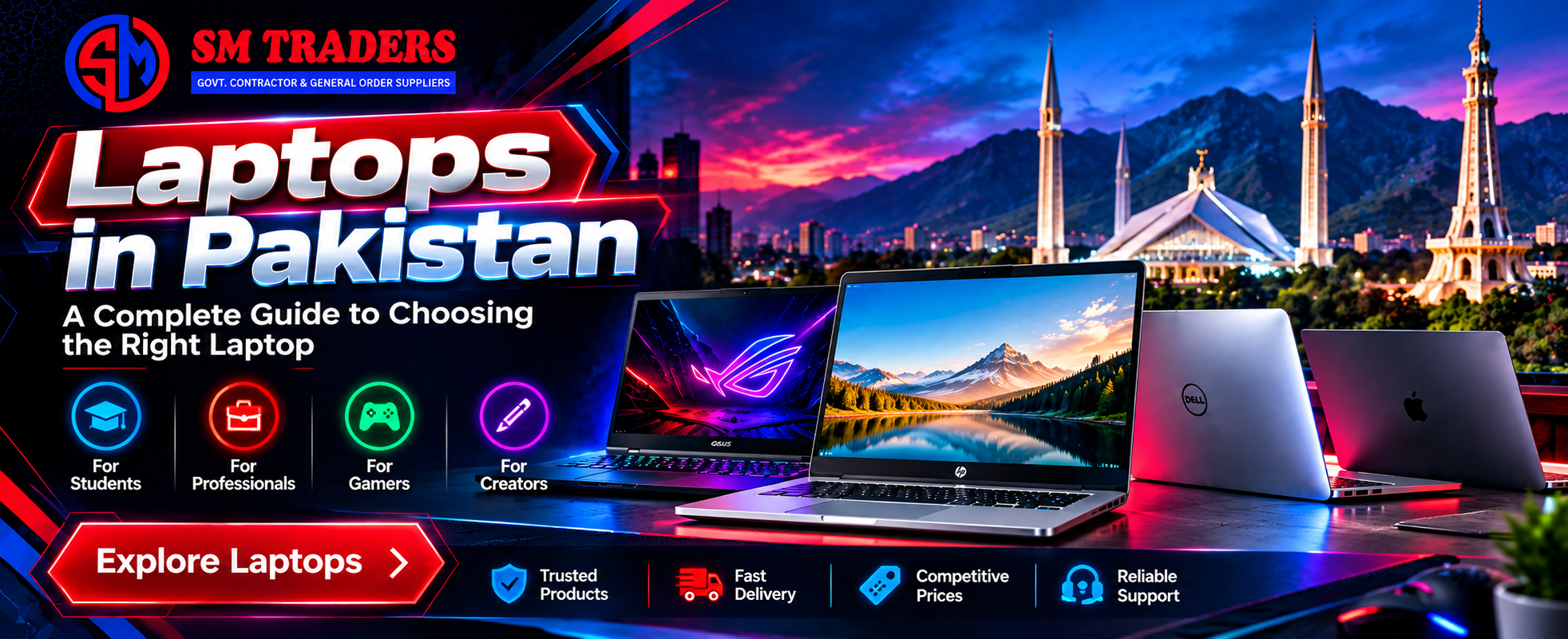
Buying a laptop is no longer as simple as choosing the model with the highest processor number or the most RAM. With so many brands, configurations, price ranges, and used and new options available, finding the right laptop can quickly become confusing.
Whether you are a student, freelancer, office professional, business owner, designer, developer, or gamer, your needs are different. A laptop that works perfectly for accounting may not be suitable for video editing. Likewise, a budget laptop for university work may struggle with demanding software or modern games.
That is why understanding what you actually need before spending your money matters.
The market for laptops in Pakistan includes everything from affordable business machines and refurbished laptops to premium ultrabooks and high-performance gaming systems. At SM Traders, the goal is to help customers make an informed choice rather than simply buy the most expensive machine available.
In this guide, we will cover what to look for when buying a laptop, which specifications matter, how to compare different types of laptops, and how to choose a machine that provides good value for your money.
Table of Contents
- Why Choosing the Right Laptop Matters
- Types of Laptops Available in Pakistan
- How to Choose the Best Laptop for Your Needs
- Laptop Specifications Explained
- Best Laptops for Students
- Laptops for Business and Office Work
- Gaming Laptops in Pakistan
- Laptops for Freelancers and Creatives
- New vs. Used and Refurbished Laptops
- How Much Should You Spend on a Laptop?
- What to Check Before Buying a Laptop
- Common Laptop Buying Mistakes
- Comparison of Laptop Categories
- FAQs
- Conclusion
Why Choosing the Right Laptop Matters
A laptop is often a long-term investment. If you choose the wrong configuration, you may end up spending more money later on upgrades or replacement.
For example, a student who mainly uses Microsoft Word, Google Chrome, Zoom, and educational software does not necessarily need a high-end gaming laptop. On the other hand, a graphic designer working with Adobe Photoshop and Illustrator may need more memory, a stronger processor, and a better display.
The same applies to business users.
A salesperson who travels frequently may prioritize battery life and portability, while an accountant may care more about keyboard comfort, screen size, storage, and reliability.
The best laptop is therefore not necessarily the most powerful one. It is the one that fits your workload, budget, and daily routine.
Types of Laptops Available in Pakistan
The laptop market in Pakistan has options for almost every type of user. Understanding the major categories makes the buying process much easier.
Business Laptops
Business laptops are designed around reliability, productivity, and everyday professional use.
They commonly offer comfortable keyboards, durable construction, good connectivity, and practical designs. Models from established business laptop lines are popular among companies, freelancers, students, and professionals.
These laptops are suitable for:
- Microsoft Office
- Accounting software
- Web browsing
- Email
- Video conferencing
- Business management
- Programming
- Remote work
If your work involves long hours at a desk, a comfortable keyboard and reliable build quality can be more valuable than a powerful graphics card.
Ultrabooks and Thin Laptops
Thin and lightweight laptops are designed for people who regularly carry their computers.
They are particularly useful for:
- University students
- Consultants
- Freelancers
- Sales professionals
- Remote workers
- Travelers
The main advantage is portability. However, thin laptops sometimes sacrifice upgradeability or cooling capacity to achieve a smaller design.
2-in-1 Laptops
A 2-in-1 laptop combines traditional laptop functionality with tablet-style flexibility.
Depending on the model, the screen can fold backward or detach from the keyboard.
These devices can be useful for people who take notes, make presentations, draw, or consume media while traveling.
Gaming Laptops
Gaming laptops are built for demanding workloads and graphics-intensive applications.
When looking at gaming laptops in Pakistan, buyers should pay close attention to the graphics processing unit, processor, cooling system, display refresh rate, RAM, and storage.
A gaming laptop can also be useful for professional applications such as:
- 3D modeling
- Video editing
- Animation
- CAD
- Rendering
- Game development
However, these machines are generally heavier and consume more power than standard office laptops.
How to Choose the Best Laptop for Your Needs
Instead of starting with a brand, start with your workload.
Ask yourself:
- What software will I use?
- How many hours will I use the laptop each day?
- Will I carry it frequently?
- Do I need dedicated graphics?
- How much storage do I need?
- Is battery life important?
- Do I plan to upgrade RAM or storage later?
- What is my realistic budget?
Once you answer these questions, narrowing down your options becomes much easier.
For Basic Everyday Use
If you mainly browse websites, watch videos, attend online meetings, use Office applications, and manage email, you can focus on a reliable processor, sufficient RAM, SSD storage, and a good display.
There is no need to pay for hardware that you will never use.
For Programming
Developers should consider processor performance, RAM, keyboard quality, display resolution, and operating system compatibility.
If you frequently run virtual machines, containers, emulators, or large development environments, additional RAM can make a noticeable difference.
For lighter web development, software development, and coding tasks, a mid-range business laptop may be more than enough.
For Graphic Design
Designers should pay particular attention to the display.
Color accuracy, brightness, resolution, and panel quality can have a direct effect on your work. A powerful processor is useful, but a poor display can make professional design work frustrating.
For Video Editing
Video editing can be demanding because editing software often uses the processor, graphics card, RAM, and storage simultaneously.
For serious editing work, look for:
- A modern multi-core processor
- At least 16 GB RAM
- Fast SSD storage
- Dedicated graphics
- A high-quality display
- Efficient cooling
Your ideal configuration will depend on the resolution and software you use.
Laptop Specifications Explained
Laptop specifications can look complicated, but you only need to understand a few key components.
Processor
The processor, or CPU, handles most of the computer’s general processing work.
Modern processors are available across several performance levels. A newer mid-range processor can often provide a better experience than an older high-end processor.
When comparing laptops, consider the processor generation, number of cores, performance class, and power efficiency rather than looking only at the model number.
RAM
RAM affects how many applications your computer can comfortably handle at the same time.
For basic tasks, a lower RAM configuration may be sufficient. For professional multitasking, development, editing, or demanding applications, more RAM can make the system feel considerably smoother.
If you frequently keep dozens of browser tabs open while running other software, RAM becomes especially important.
SSD Storage
An SSD can dramatically improve the everyday feel of a laptop compared with an older mechanical hard drive.
It helps with:
- Faster boot times
- Quicker application launches
- Faster file transfers
- Better system responsiveness
For most users, an SSD should be considered a basic requirement rather than an optional luxury.
Graphics Card
The graphics processor is particularly important for gaming, 3D applications, video editing, and other graphics-heavy workloads.
If you only use Word, Chrome, email, and standard business applications, integrated graphics are generally sufficient.
If you play modern games or use demanding creative software, dedicated graphics can make a major difference.
Display
Do not overlook the screen.
Consider:
- Screen size
- Resolution
- Brightness
- Panel type
- Color accuracy
- Refresh rate
- Viewing angles
A laptop with excellent internal specifications can still be unpleasant to use if the display is poor.
Best Laptops for Students
Students usually need a balance between affordability, portability, performance, and battery life.
A good student laptop should handle common academic tasks without becoming unnecessarily expensive.
Typical student workloads include:
- Research
- Microsoft Office
- Online classes
- Presentations
- Web browsing
- PDF documents
- Programming
- Video calls
Students in fields such as engineering, architecture, computer science, or media may need stronger specifications because their software requirements are more demanding.
For example, an architecture student using CAD or 3D software has very different requirements from a student studying business administration.
Laptops for Business and Office Work
Business users usually value stability and productivity.
A suitable office laptop should provide a comfortable keyboard, reliable connectivity, good battery performance, and enough processing power for daily applications.
For professionals, features such as a quality webcam, microphone, USB ports, HDMI, Wi-Fi, and a comfortable keyboard can be just as important as processor speed.
If employees use laptops eight hours a day, reliability becomes a major consideration.
Gaming Laptops in Pakistan
Gaming laptops continue to attract buyers who need high-performance hardware in a portable form.
However, buyers should not choose a gaming laptop based solely on the graphics card.
The processor, cooling system, RAM, storage, display, and power delivery all affect the overall experience.
What Makes a Good Gaming Laptop?
Look for:
- A capable dedicated GPU
- Modern multi-core processor
- At least 16 GB RAM for demanding use
- SSD storage
- High-refresh-rate display
- Effective cooling
- Good keyboard
- Adequate power adapter
Cooling deserves special attention.
Gaming hardware generates significant heat under load. A laptop with powerful components but poor thermal management may reduce performance when operating under sustained workloads.
Can a Gaming Laptop Be Used for Work?
Absolutely.
A gaming laptop can handle many professional workloads, including programming, design, editing, animation, and 3D work.
The trade-off is usually portability. Gaming machines tend to be heavier and have shorter battery life during demanding workloads.
Laptops for Freelancers and Creatives
Freelancers often need a laptop that can handle multiple types of work.
A single freelancer may use Chrome, Photoshop, WordPress, video conferencing software, accounting tools, and communication applications during the same working day.
That makes balanced hardware particularly useful.
If your work involves graphic design, video editing, web development, or digital marketing, consider investing in a laptop that gives you room to grow rather than buying the minimum configuration.
A slightly more capable machine can remain useful for several additional years.
New vs. Used and Refurbished Laptops
One of the biggest decisions buyers face is whether to purchase a new laptop or consider a used/refurbished machine.
Both options can make sense depending on your budget and requirements.
Advantages of New Laptops
New laptops generally provide:
- Newer hardware
- Manufacturer warranty
- Fresh batteries
- Latest connectivity options
- Longer expected service life
They can be particularly attractive for businesses and professionals who depend on their computers every day.
Advantages of Used or Refurbished Laptops
Used laptops can provide significantly better specifications for a limited budget.
For example, someone with a modest budget may be able to purchase a higher-class business laptop in the used market rather than buying a basic new machine.
However, inspection is essential.
Check:
- Battery health
- Screen condition
- Keyboard
- Touchpad
- USB ports
- HDMI or display output
- Wi-Fi
- Speakers
- Webcam
- Charger
- SSD health
- Physical condition
Buying from a trustworthy seller also reduces the risk of receiving a machine with hidden problems.
How Much Should You Spend on a Laptop?
There is no single correct laptop budget.
Your spending should reflect the work the laptop needs to perform.
A basic user should not spend a premium amount simply because a salesperson recommends a high-end configuration.
Likewise, a professional editor or developer may regret choosing an entry-level laptop just to save money initially.
Think about total value rather than purchase price alone.
A laptop that lasts four or five years with reliable performance can provide better value than a cheaper machine that needs replacement much sooner.
Comparison of Laptop Categories
| Laptop Type |
Best For |
Key Priority |
| Basic Laptop |
Browsing, Office, Study |
Value |
| Business Laptop |
Professional Work |
Reliability |
| Thin & Light |
Travel, Freelancing |
Portability |
| 2-in-1 |
Notes, Presentations |
Flexibility |
| Gaming Laptop |
Gaming, Heavy Workloads |
Performance |
| Creator Laptop |
Design, Editing |
Display & Performance |
This comparison shows why choosing a laptop should begin with your needs rather than a particular brand.
What to Check Before Buying a Laptop
Before completing your purchase, take a few minutes to inspect the machine.
Check the Physical Condition
Look carefully at the lid, corners, hinges, keyboard, and base.
Small cosmetic marks may not matter, but damaged hinges, cracks, or bent chassis components deserve attention.
Test the Display
Open a white and dark background and look for unusual spots, lines, flickering, or uneven brightness.
A screen problem can become expensive to fix.
Test the Keyboard and Touchpad
Open a document and test every important key.
Also check the touchpad, left and right clicks, scrolling, and gestures where applicable.
Check Ports
Test USB ports, HDMI, audio, charging, and other available connections.
A laptop may look perfect externally while having a faulty port.
Check Battery Health
Battery condition is especially important when purchasing a used laptop.
A laptop with excellent specifications is less useful if its battery lasts only a short time away from the charger.
Verify Specifications
Confirm the processor, RAM, storage capacity, graphics card, and display specifications against the seller’s description.
This is particularly important when buying used laptops.
Common Laptop Buying Mistakes
Buying Based Only on Processor Name
A processor name alone does not tell the complete story.
Generation, power class, cores, cooling, and the rest of the hardware all matter.
Choosing Maximum RAM Without a Reason
More RAM can be useful, but it is not always necessary.
Determine what your applications actually require before paying extra.
Ignoring the Display
Many buyers focus on CPU and RAM and forget that they will spend hours looking at the screen.
For designers, photographers, editors, and professionals, display quality should be part of the buying decision.
Ignoring Upgrade Options
Some laptops allow RAM or SSD upgrades while others have limited upgradeability.
If you expect your workload to grow, check this before purchasing.
Buying Without Checking the Warranty
Always understand what warranty or return policy comes with the laptop.
For used or refurbished machines, ask what components are covered and for how long.
Finding Laptops for Sale in Pakistan
When searching for laptops for sale in Pakistan, buyers will find a wide range of options online and through physical computer stores.
The challenge is not simply finding a laptop. It is finding the right laptop from a seller you can trust.
SM Traders can help customers compare different configurations according to their budget and intended use.
Instead of selecting a machine based purely on price, consider its condition, specifications, warranty, upgrade options, and expected lifespan.
This approach can help you avoid paying for features you do not need while making sure your laptop is capable enough for your actual workload.
Internal Linking Suggestions
For a website offering digital marketing or technology-related services, consider adding these internal links:
- Digital Marketing Services – Link to your main digital marketing services page.
- SEO Services – Link to your SEO service page.
- Web Development Services – Link to your website development page.
- Local SEO Services – Link to your local SEO service page.
- Contact Us – Link to your contact page from relevant calls to action.
These links should be placed naturally within relevant sections rather than added simply for SEO purposes.
Recommended External Resources
For additional technical information, readers can refer to authoritative resources such as:
- Microsoft Support – For Windows system requirements, setup, and troubleshooting.
- Google Chrome Help – For browser requirements and troubleshooting.
- Microsoft Windows Documentation – For operating system features and compatibility information.
External references should support useful information rather than distract readers from the main purpose of the article.
Frequently Asked Questions
What should I look for when buying laptops in Pakistan?
Start by identifying your workload and budget. Then compare processor performance, RAM, SSD storage, display quality, battery health, graphics capability, build quality, and warranty.
Which laptop is best for students in Pakistan?
The right student laptop depends on the student’s field of study. A business student may need only a reliable everyday laptop, while an engineering, architecture, or computer science student may require more powerful hardware.
Are gaming laptops in Pakistan good for professional work?
Yes. Gaming laptops often have powerful processors and dedicated graphics, making them suitable for video editing, programming, 3D modeling, animation, and other demanding workloads. They are usually heavier than standard business laptops.
Is an SSD important in a laptop?
Yes. SSD storage generally provides much faster system responsiveness than traditional mechanical hard drives. It can improve boot times, application loading, and everyday performance.
Should I buy a used laptop?
A used laptop can be a practical option when the budget is limited. However, inspect the battery, display, keyboard, ports, storage health, charger, and overall condition before purchasing.
How much RAM do I need?
The answer depends on your workload. Basic users need less memory than developers, designers, video editors, and gamers. If you regularly multitask or use demanding applications, additional RAM can improve the experience.
Where can I find laptops for sale in Pakistan?
You can find laptops through computer retailers, online stores, marketplaces, and specialized laptop dealers. Always verify specifications, condition, warranty, and seller reputation before making a purchase.
How do I choose between a business laptop and a gaming laptop?
Choose based on your workload. Business laptops prioritize portability, reliability, battery life, and productivity, while gaming laptops generally prioritize graphics performance, cooling, and high-performance hardware.
Conclusion
Choosing between the many laptops in Pakistan does not have to be complicated. The key is to understand what you actually need before comparing models and prices.
A student, office worker, programmer, designer, freelancer, and gamer can all require completely different laptop configurations. Instead of buying based on brand names or specifications alone, consider the complete package: performance, display, storage, battery, portability, build quality, warranty, and long-term value.
If you are comparing the best laptops in Pakistan, looking for reliable business machines, or researching gaming laptops in Pakistan, take time to match the laptop with your actual workload.
At SM Traders, customers can explore laptop options based on their requirements and budget rather than choosing hardware blindly.
Looking for the Right Laptop?
If you are ready to purchase a laptop, speak with SM Traders about your requirements. Whether you need a laptop for study, business, freelancing, design, development, or gaming, discuss your budget and workload first so you can choose a machine that makes sense for you.
The right laptop is not simply the one with the biggest specifications. It is the one that performs reliably for the work you need to do every day.