

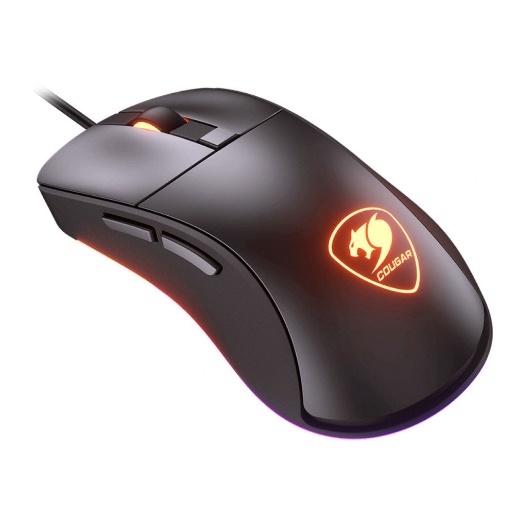
Cougar Surpassing Optical Gaming Mouse
₨ 6,600
| Specification | Details |
|---|---|
| Brand | COUGAR |
| Model | SURPASSION |
| Type | Wired Optical Gaming Mouse |
| Sensor | PixArt PMW3330 Optical |
| DPI | 50–7,200 DPI |
| Polling Rate | 125 / 250 / 500 / 1000 Hz |
| Switches | OMRON Gaming Switches |
| Switch Life | 50 Million Clicks |
| Backlight | 2-Zone LED |
| Tracking Speed | Up to 150 IPS |
| Acceleration | Up to 30G |
| Connectivity | USB |
| Cable Length | 1.8 m |
| Weight | 96 g |
| Dimensions | 120 × 65 × 38 mm |
| Special Feature | Onboard LCD Screen for DPI, Polling Rate & LOD |
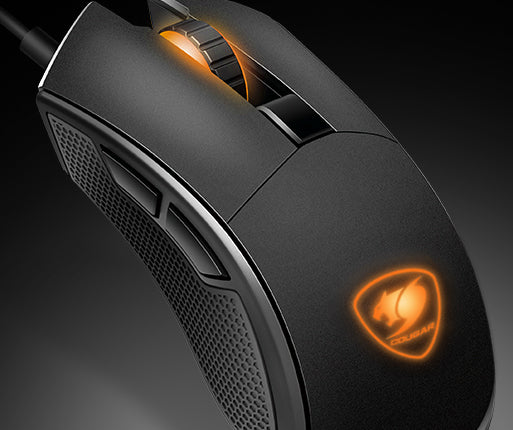
Changing mouse settings mid-game is usually a matter of guessing or tabbing out to verify in software. The https://smtraders.com.pk/product/cougar-surpassing-optical-gaming-mouse/Cougar Surpassing Optical Gaming Mouse eliminates the guesswork by incorporating a built-in LCD screen that displays your exact settings directly on the mouse itself.
That screen does more than DPI control. You can change the Polling Rate, Lift-Off Distance and Angle Snapping right from the mouse, no software needed for quick adjustments between matches. It uses a PixArt PMW3330 optical sensor for tracking, and has six preset DPI modes ranging from 400 to 7,200 DPI that can be fully customized in 50 DPI increments.
The response time is also sharp. The polling rate can be set to 125, 250, 500, or 1000Hz, allowing you to select a smoother experience or one that uses more resources depending on your setup. The main buttons are rated for 50 million clicks and OMRON switch them back so you get consistent performance for years of intense gaming.
Two real rubber flanks on the sides – not just a coating – and the grip stays secure, keeping the mouse steady during fast, aggressive movements. The lighting is also quite personalized, with 13 backlight modes to choose from, including 11 single-color and 2 multi-color options.
Connects via wired USB interface with 1.8 meter cable. Compatible with Windows 7, 8 and 10 systems.
Completing your gaming setup? For a matching pick, go to our Keyboard category or browse through the Mouse category. Full specifications are on the A4Tech product page.


Reviews
There are no reviews yet.